Short quizzes written for 9 to 11 year olds, with every answer explained. Right answers earn blocks to program a robot. Games for staying safe online and naming the parts of a computer. And a simple teacher view, so you don't need to be a computing specialist.
Pupils answer computing questions at their own pace. Every game teaches something too, and there are no timers.
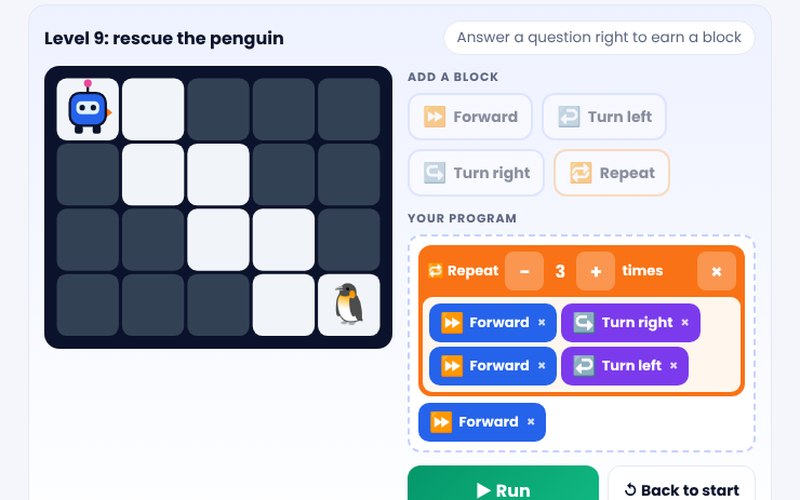
Each right answer earns a block. Pupils put the blocks in order, with Repeat loops, to steer a robot through a maze and rescue a pet. Sequence, loops and debugging, for one pupil or the whole class on the board.
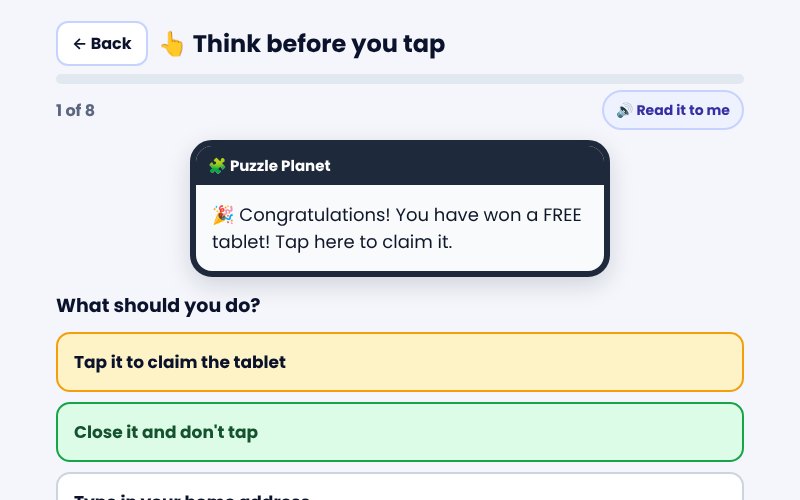
Four short games on made-up apps: think before you tap, spot the trick, share or keep private, and build a strong password. Gentle feedback, and every screen says to tell a trusted adult.
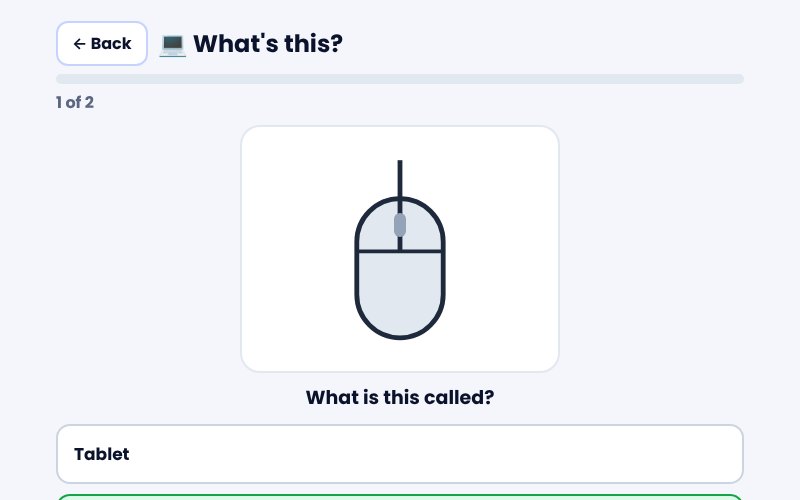
Drawings of devices, the parts inside a computer and the symbols on a screen. Pupils pick the right name and learn what each one does, then sort input from output.
Spelling mode helps pupils learn the keywords: read the meaning, hear the word, type it. And every live quiz can be a class game on the board: Robot Rescue for the class, sports, arcade or playground.
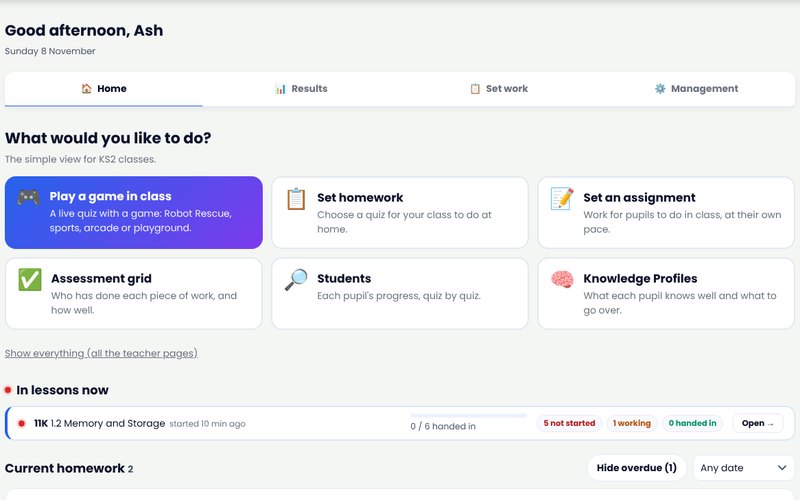
Teachers of KS2 classes get a Home page with big buttons and nothing else in the way.
Add your class, play a game in class, set homework and see how pupils are doing, on real RADevo screens. Read the step-by-step guide.
720 questions in 14 quizzes, following the units most primary schools teach. See the KS2 questions free.
Input, process, output and storage; the parts of a computer; networks, the internet and the web.
Algorithms, sequence, selection, repetition and variables; predicting and debugging programs.
Branching and flat-file databases, fields and records, spreadsheets, and choosing a chart.
Video, vector graphics, web pages and 3D modelling, in plain words.
How search engines work, and checking whether something online can be trusted.
Private information, passwords, being kind online, and what to do and who to tell if worried.
The KS2 computing programme of study (Department for Education, 2013) says pupils should be taught to do seven things. Here's where each one is covered in RADevo. The 12 Year 5 and 6 quizzes follow the units most primary schools teach.
“design, write and debug programs that accomplish specific goals, including controlling or simulating physical systems; solve problems by decomposing them into smaller parts”
Quizzes 5.3 Selection in physical computing, 5.6 Selection in programming and 6.6 Sensing movement. Robot Rescue: write a program to reach the target, then debug it when the robot bumps into a wall.
“use sequence, selection, and repetition in programs; work with variables and various forms of input and output”
Quizzes 5.6 Selection in programming and 6.3 Variables in programming. Robot Rescue: sequence and Repeat loops. Name the picture: input and output devices.
“use logical reasoning to explain how some simple algorithms work and to detect and correct errors in algorithms and programs”
Questions that ask pupils to predict what a program does and spot the mistake; every answer explained. Robot Rescue: predict, run, debug.
“understand computer networks including the internet; how they can provide multiple services, such as the world wide web; and the opportunities they offer for communication and collaboration”
Quizzes 5.1 Computer systems, 6.1 Communication and the internet and 6.2 Web page creation. Name the picture: routers, servers and the parts inside a computer.
“use search technologies effectively, appreciate how results are selected and ranked, and be discerning in evaluating digital content”
Quiz 5.1 Computer systems: keywords, how search engines rank results, and why the top results can be adverts.
“select, use and combine a variety of software (including internet services) on a range of digital devices to design and create a range of programs, systems and content that accomplish given goals, including collecting, analysing, evaluating and presenting data and information”
Quizzes 5.2 Video production, 5.4 Flat-file databases, 5.5 Vector graphics, 6.2 Web page creation, 6.4 Spreadsheets and 6.5 3D modelling.
“use technology safely, respectfully and responsibly; recognise acceptable/unacceptable behaviour; identify a range of ways to report concerns about content and contact”
Stay Safe Online: think before you tap, spot the trick, share or keep private and build a strong password, with "tell a trusted adult" on every screen.
Statements quoted from the national curriculum in England: computing programmes of study, Key Stage 2. RADevo helps pupils remember these ideas; it doesn't replace your computing lessons.
Years 5 and 6, in 14 quizzes following the units most primary schools teach. Every answer explained.
Right answers earn blocks to program a robot through mazes, with Repeat loops. On their own or as a class on the board.
Four short games on made-up apps: think before you tap, spot the trick, share or keep private, password builder.
Drawings of devices, the parts inside a computer and screen symbols, and input or output.
Learn to spell the computing keywords: read the meaning, hear the word, type it.
Questions read aloud, big buttons, and pupils work at their own pace.
Every live quiz can be a game on the board: Robot Rescue, sports, arcade or playground.
Today's work, the live quiz and the games. No shop, no leaderboards with names.
Play a game, set homework or an assignment, and see results. Everything else is one tap away.
Who has done each piece of work, each pupil's progress, and what the class finds hard.
If your school chooses: parents see their own child's progress, view only.
A step-by-step guide with pictures and an 80-second video for teachers.
If your school turns it on, each parent gets a letter with their child's own code. They sign in with an emailed link, with no password.